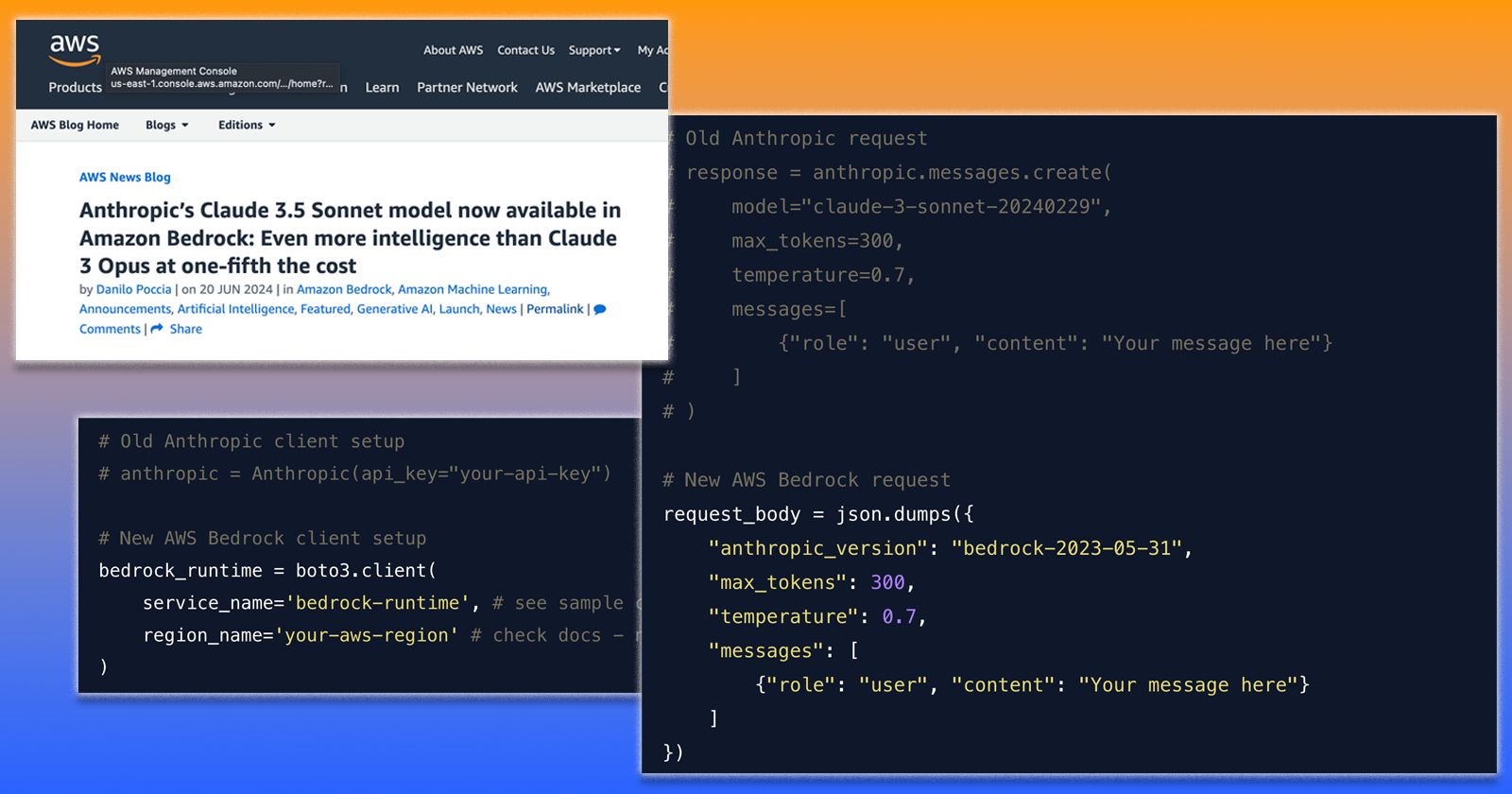
The Anthropic APIs and Python SDK are solid, but they do have some limits that might make certain tasks challenging, especially as of this writing. There is an alternative path to using Anthropic’s models - Amazon Bedrock. Amazon Bedrock now offers access to Anthropic’s Claude models, including Claude 3.5 Sonnet. If you have the need for different limits or if you are integrating with other AWS services, it might make sense to migrate your existing Python code from using the Anthropic API to the Amazon Bedrock APIs. This guide will step you through migrating your code. It assumes you’re already familiar with Anthropic and AWS authentication.
I decided not to delve into the differences in requests-per-minute, tokens-per-minute, tokens-per-day, API cost, etc., as these change frequently and explaining all of this would require significantly more text. Do your research to ensure this is the right path for you. Personally, I encountered the tokens-per-day limit with Anthropic APIs when asking Claude to provide descriptions for thousands of images. Switching to Bedrock allowed me to complete this task in a single run.
1. Installing Required Libraries
First, ensure you have the necessary libraries installed:
pip install anthropic boto32. Importing Libraries and Setting Up Clients
Replace your Anthropic imports with AWS SDK for Python (Boto3):
# Old Anthropic import
# from anthropic import Anthropic

# New Amazon Bedrock import
import boto3
import json
Then, set up the Amazon Bedrock client:
# Old Anthropic client setup
# anthropic = Anthropic(api_key="your-api-key")

# New Amazon Bedrock client setup
bedrock_runtime = boto3.client(
    service_name='bedrock-runtime', # see sample code below for how I used Claude 3.5 Sonnet model
    region_name='your-aws-region' # check docs - not all models are available in all regions
)
3. Constructing the Request
The request structure for Amazon Bedrock differs from Anthropic’s API. Here’s how to adapt your code:
# Old Anthropic request
# response = anthropic.messages.create(
#     model="claude-3-sonnet-20240229",
#     max_tokens=300,
#     temperature=0.7,
#     messages=[
#         {"role": "user", "content": "Your message here"}
#     ]
# )

# New Amazon Bedrock request
request_body = json.dumps({
    "anthropic_version": "bedrock-2023-05-31",
    "max_tokens": 300,
    "temperature": 0.7,
    "messages": [
        {"role": "user", "content": "Your message here"}
    ]
})
4. Sending the Request and Handling the Response
Now, let’s send the request and process the response:
# Send request to Amazon Bedrock
response = bedrock_runtime.invoke_model(
    modelId='anthropic.claude-3-5-sonnet-20240620-v1:0',
    body=request_body
)

# Parse the response
response_body = json.loads(response['body'].read())
generated_text = response_body['content'][0]['text']

print(generated_text)
5. Error Handling
Adapt your error handling to work with Amazon Bedrock:
from botocore.exceptions import ClientError

try:
    response = bedrock_runtime.invoke_model(
        modelId='anthropic.claude-3-5-sonnet-20240620-v1:0',
        body=request_body
    )
    # Process response as shown above
except ClientError as e:
    print(f"An error occurred: {e.response['Error']['Message']}")
6. Key Differences to Note
-
Authentication: Amazon Bedrock uses AWS credentials instead of an API key.
-
Request Structure: Amazon Bedrock requires a JSON string for the request body.
-
Model Specification: The model is specified as a
modelIdparameter in theinvoke_model()call. -
Response Parsing: The response from Amazon Bedrock needs to be parsed from a JSON structure.
-
Error Handling: Use boto3’s
ClientErrorfor catching AWS-specific exceptions.
7. Important Considerations for Amazon Bedrock Setup
-
Ensure your AWS credentials have the necessary permissions to access Bedrock services.
-
Check that the Claude 3.5 Sonnet model (anthropic.claude-3-5-sonnet-20240620-v1:0) is available in your chosen AWS region (it’s only in a few as of this writing).
-
Verify that your AWS account has been granted access to the Claude 3.5 Sonnet model. If not, you can simply request access through the console and have access in a few minutes.
-
The
anthropic_versionparameter in the request body may need updating based on the latest Bedrock API version.
8. Making it all work
A simple Anthropic API example:
from anthropic import Anthropic
import os

# Set up the Anthropic client
anthropic = Anthropic(api_key=os.environ.get("ANTHROPIC_API_KEY"))

# Define the message
message = "What's the difference between Amazon Aurora and RDS?"

# Send the request to Claude 3.5 Sonnet using the Messages API
response = anthropic.messages.create(
    model="claude-3-sonnet-20240229",
    max_tokens=300,
    temperature=0.7,
    messages=[
        {"role": "user", "content": message}
    ]
)

# Print the response
print(response.content[0].text)
Converted to run using Amazon Bedrock
import boto3
import json
import os
from botocore.exceptions import ClientError

# Set up the Amazon Bedrock client
bedrock_runtime = boto3.client(
    service_name='bedrock-runtime',
    region_name='us-east-1',  # Replace with your AWS region
    aws_access_key_id=os.environ.get("AWS_ACCESS_KEY_ID"),
    aws_secret_access_key=os.environ.get("AWS_SECRET_ACCESS_KEY")
)

# Define the message
message = "What's the difference between Amazon Aurora and RDS?"

# Prepare the request body
request_body = json.dumps({
    "anthropic_version": "bedrock-2023-05-31",
    "max_tokens": 300,
    "temperature": 0.7,
    "messages": [
        {"role": "user", "content": message}
    ]
})

# Specify the Claude 3.5 Sonnet model ID
model_id = 'anthropic.claude-3-5-sonnet-20240620-v1:0'

try:
    print(f"Invoking model: {model_id}")
    response = bedrock_runtime.invoke_model(
        modelId=model_id,
        body=request_body
    )

    # Parse and print the response
    response_body = json.loads(response['body'].read())
    print("Response:", response_body['content'][0]['text'])
except ClientError as e:
    error_code = e.response['Error']['Code']
    error_message = e.response['Error']['Message']
    print(f"Error: {error_code} - {error_message}")
except Exception as e:
    print(f"Unexpected error: {str(e)}")

# Print debugging information
print("\nDebugging Information:")
print(f"AWS Region: {bedrock_runtime.meta.region_name}")
print(f"Model used: {model_id}")
print("Please ensure you have the correct permissions and that this model is available in your region.")
Alternative: Leveraging Claude for Code Conversion
While manually converting your code from the Anthropic API to Amazon Bedrock is a valuable exercise in understanding the differences between the two services, there’s an alternative approach that can save time and potentially catch nuances you might miss: using Claude 3.5 Sonnet itself to assist with the conversion process. I was able to make this work, but I did have to do a bit of ‘back and forth’ with Claude 3.5 Sonnet to get working code. Even with the minor challenges, it still saved me time!
Here’s how you can leverage Claude’s capabilities:
-
Prepare Your Existing Code: Gather the Anthropic API code you want to convert. Ensure it’s well-commented and includes any relevant context.
-
Craft a Clear Request: Ask Claude to convert your code, providing specific instructions. For example: “Please convert the following Python code that uses the Anthropic API with Claude 3.5 Sonnet to use Amazon Bedrock instead. Maintain the same functionality and include error handling. Here’s the code: [paste your code here]”
-
Review and Refine: Examine the converted code provided by Claude. It may catch subtleties in the API differences that aren’t immediately obvious. If needed, ask for clarifications or modifications.
-
Iterate if Necessary: If the converted code isn’t quite right, provide feedback to Claude and ask for adjustments. For instance: “The conversion looks good, but could you add more robust error handling for AWS-specific exceptions?”.
-
Test Thoroughly: Once satisfied with the conversion, test the new Amazon Bedrock code thoroughly to ensure it maintains the functionality of your original implementation.
This approach can be particularly beneficial when:
-
You’re converting a large amount of code
-
You’re unfamiliar with the intricacies of the Amazon Bedrock API
-
You want to ensure you’re following best practices for Amazon Bedrock integration
If there is one thing I’ve learned from using Claude 3.5 and other LLMs to write code — Always review and test the converted code in your own environment.
UPDATE on August 19th, 2024 - A reader pointed out to me that the Anthropic API offers a path to Bedrock as well! This might be a simpler path depending on your needs. Check it out - https://docs.anthropic.com/en/api/claude-on-amazon-bedrock